Streamdeck Troubleshooting
Streamdecks are connected to computers, one to the media computer, one to the streaming computer, and two to the broadcast sound computer
Streamdeck Won’t Turn On
- Find the computer that the streamdeck is attached to
- Find the companion satellite icon on the top right of the screen by the clock, right click, and click quit (see picture below)
- Start the companion satellite app (using launchpad or searching)
- If it still won’t work try rebooting the computer
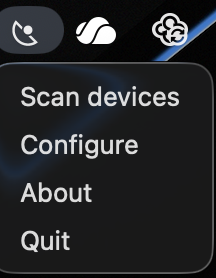
If configuration is lost, configure the app with IP address: 10.63.40.4 and port 16622