Skip to main content Gym Sound System Usage
Table of Contents
- Turning Speakers On/Off
- Using Microphone
- Playing Music
Turning Speakers On/Off
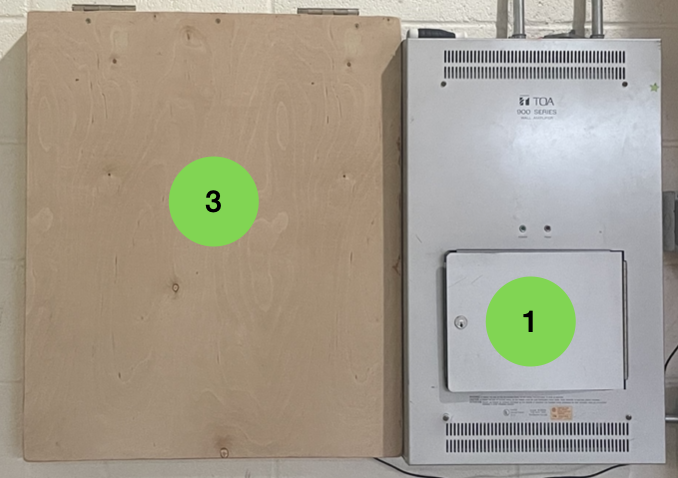
- Open the metal box (see #1)
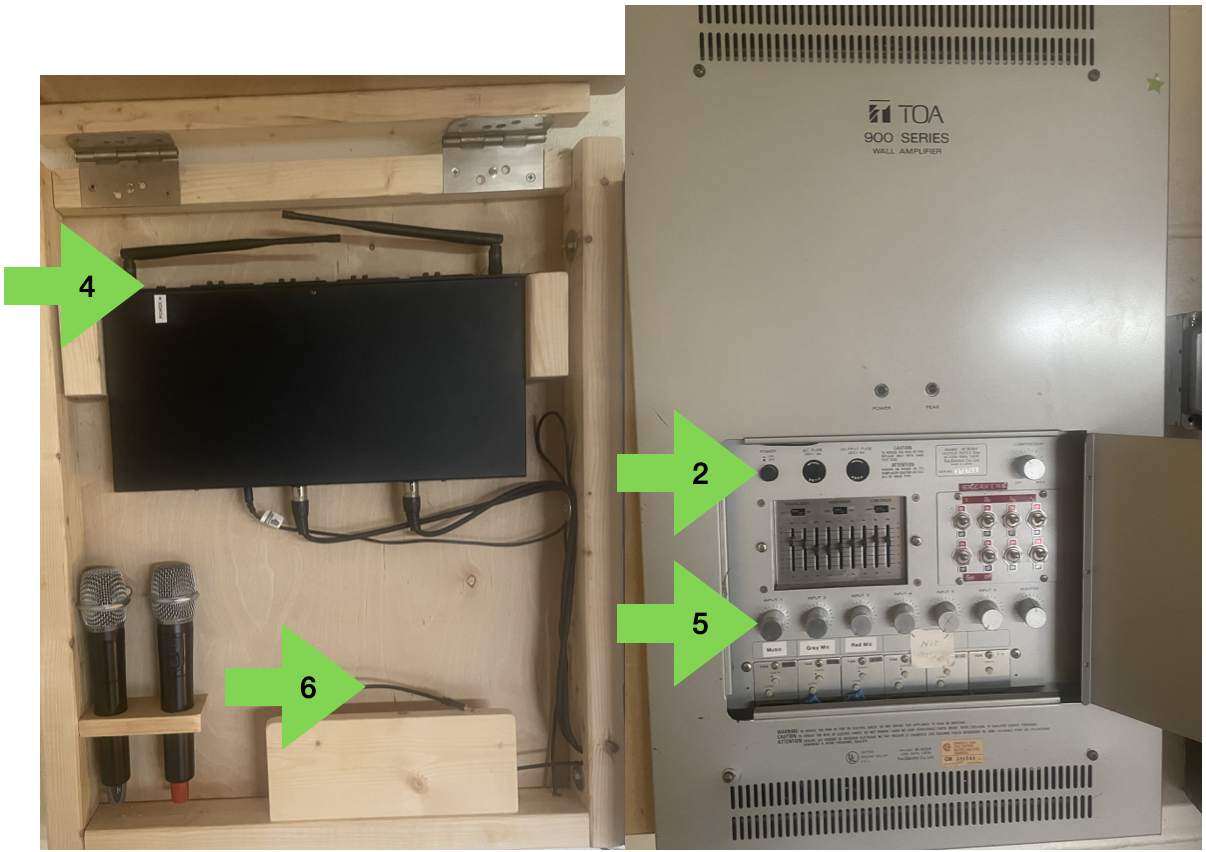
- Press the On/Off button (see #2)
- Ensure you press to turn speakers off when you are done
Using Microphone
- Open the lid of the wooden box (see #3)
- Flip the power switch on the top of the black box (see #4)
- Ensure you flip the switch to off when you are done
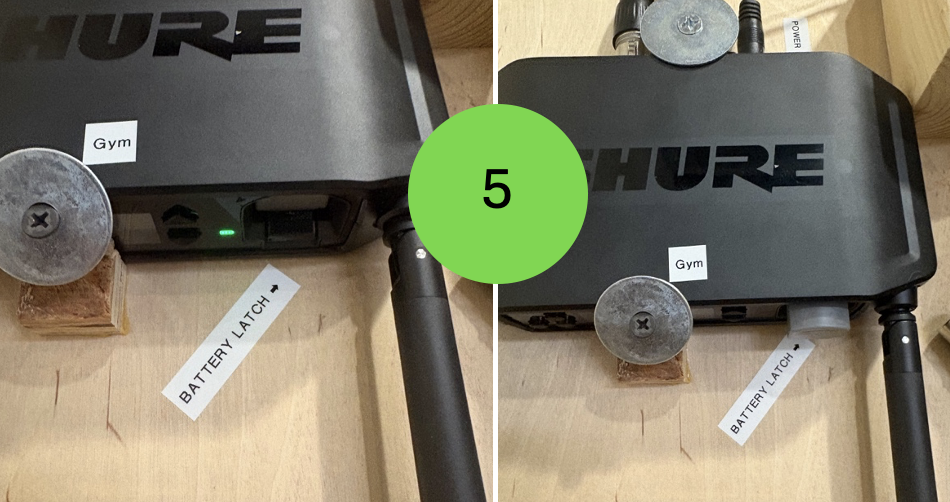
- Press button labeled “Battery Latch” on black box to pop out microphone battery (see #5)
- Insert battery into microphone by unscrewing base of microphone and inserting battery
- Battery only goes in one way, don’t force it
- When screwing the base back onto microphone don’t overtighten
- Flip switch on microphone to turn it on/off
- Use dial 2 to turn the mic up/down (see #6)
- Push battery back into receiver when done
- Light should turn on when pressed all the way in
Playing Music
- Open lid of wooden box (see #3)
- Plug your device (phone/tablet/etc) to the plug near the bottom of the box (see #7)
- Use dial 1 to turn the music up/down (see #6)